Network Security Best Practices
An overview of current tried and tested best practices
Design Team
9/3/20254 min read
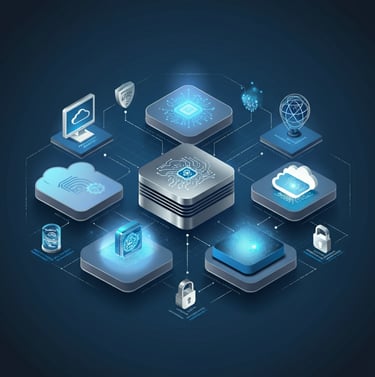

Security technology today is heavily network-connected – from IP cameras and network video recorders to access control panels and cloud-based management platforms. This convergence of physical security and IT means that securing your security networks is just as important as securing the doors and locks. A breach in a camera or access system could expose your facility or data. To prevent that, implement the following network and cybersecurity best practices:
Managed, Segmented Networks: Use managed network switches and routers to create segmented networks (VLANs) for security devices. All cameras, badge readers, intercoms, and other security IoT devices should reside on a dedicated network segment isolated from the main corporate or public network. This separation prevents malware or intruders on the business network from easily reaching security system infrastructure (and vice versa). For example, separate VLANs can be set up for security cameras, building automation, guest Wi-Fi, and corporate data. By limiting connectivity between these segments (only via controlled firewalls or gateways), you contain potential breaches. Managed switches with features like 802.1X port authentication, QoS, and monitoring are crucial – they let you enforce network access controls and quickly respond to any unusual traffic. In short, network segmentation reduces the attack surface and ensures that a compromise of one device doesn’t give an attacker free rein over the whole facility network.
Keep Security Systems Updated: Treat all your physical security devices as important endpoints that require regular software maintenance. Implement a schedule to apply all available firmware/software patches and updates to cameras, NVRs, door controllers, intrusion alarm panels, and their management software. Manufacturers often release updates to patch security vulnerabilities or improve stability – failing to update leaves known holes that attackers can exploit. Enable automatic updates where possible, or plan for periodic manual updates during maintenance windows. In addition, use strong, unique passwords on all devices and change default credentials immediately upon installation (and consider rotating passwords periodically). Keeping device firmware up to date, along with enforcing strong authentication, forms the first line of defense against cyber threats targeting security equipment.
Continuous Monitoring & Vulnerability Assessment: Take a proactive stance by regularly assessing your security network for weaknesses. Conduct vulnerability scans and penetration tests at least annually (or engage a security consultant) to probe your cameras, access control systems, and servers for any exploitable holes. Address any findings (e.g. open ports, outdated software, weak passwords) immediately. Additionally, deploy monitoring tools to get real-time insight into your security network’s health. A Security Information and Event Management system (SIEM) or similar monitoring platform can aggregate logs from cameras, control panels, servers, etc., and alert on suspicious activity. Set up intrusion detection or prevention systems on the security network segment to catch anomalies (such as a camera suddenly communicating to an unknown external server). Regular log review and active monitoring will help you catch cybersecurity issues early, whether it’s a malware infection on an NVR or an unauthorized device plugged into the security network. Also, evaluate your third-party vendors – ensure any cloud-based security service or software vendor follows robust cybersecurity practices (PASS recommends vetting software vendors for adequate security controls). By continuously assessing and monitoring, you maintain a strong security posture and can remediate issues before they lead to a breach.
Zero Trust Security Model: Embrace a “zero trust” philosophy for both your IT and physical security systems. Zero Trust means nothing and no one is implicitly trusted, even on your internal network – every user, device, and application must continually prove its legitimacy. In practice, this involves enforcing strong authentication and authorization for all access. Require administrators of security systems to use multi-factor authentication and unique credentials (no shared passwords). Verify every device before it connects: for instance, only allow approved camera devices by using certificate-based authentication or 802.1X on switch ports. Apply the principle of least privilege – give each user or device the minimum access necessary (e.g. a front desk user can view cameras but not change settings; a door controller can report to the server but not initiate outbound internet traffic). Assume a breach will happen and design network layout and permissions accordingly, so that if one device is compromised, the damage is limited and detected quickly. This might include micro-segmentation within the security network, additional internal firewalls, and continuous verification of credentials. Adopting Zero Trust principles greatly enhances the overall security by removing default trust and constantly “challenging” users/devices to prove they are legitimate.
Secure Data Handling: Treat the data produced by your security systems as sensitive. Whether you store video recordings on a network video recorder (NVR) or in a cloud archive, or you maintain databases of access control events, this data should be protected from unauthorized access or loss. Implement strong encryption for data at rest and in transit – for example, use devices and software that support encrypting stored video footage and that transmit feeds over encrypted channels (HTTPS, TLS) so nobody can intercept them. Also enforce strict user access controls on security data: restrict who can view live or recorded video, who can download footage or logs, etc., using role-based permissions. All users should have unique accounts, strong passwords, and preferably two-factor authentication for systems that manage sensitive security data. Maintain audit logs of access to data (so you know who accessed or exported video, for instance). When using cloud services, choose reputable providers and configure retention and deletion policies that align with privacy requirements. Additionally, ensure data privacy considerations – for example, follow any applicable regulations regarding surveillance footage and do not overshare or misuse personal data captured on security systems. By securing and managing your security system data carefully, you prevent criminals from hijacking it or leaking it, which could otherwise compromise your facility or the privacy of occupants.
Backup and Resilience: Build resilience by backing up configurations and critical data related to security systems. For on-premises systems, regularly backup your server databases, configurations, and important footage so that a hardware failure or ransomware attack doesn’t cripple your security operations. Follow the 3-2-1 rule (three copies of data, on two different media, with one off-site copy) for vital security data. Store backups off-site or in secure cloud storage that is isolated from your main network. In the event of an incident (fire, flood, cyberattack), you should be able to restore your access control settings, camera recordings, and other functions from backups quickly to maintain security continuity. Also consider redundancy for key systems – for instance, redundant network paths for cameras or a standby fire alarm panel – if your risk assessment deems it necessary. The goal is to avoid single points of failure and ensure that no single incident can wipe out your security safeguards or the evidence they collect.
📞 (203) 387-6664
📧 support@myomnidata.com
🌐 www.myomnidata.comOmni Data — Connecting the world to public safety through innovation.
Contact
Reach out for tailored tech solutions.
Phone
203.387.6664
© 2025. All rights reserved.
Licensed & Insured: CT: ELC.0205738-E1
Licensed & Insured: FL: EF20002165
Licensed & Insured: GROL: PGGB056207